What Is Active Directory LDAP Authentication? How Do You Sign In With LDAP?
Today, login screens are critical to application security. In older applications, user credentials and passwords were typically stored in the application’s own database. Users signed in with the username and password they had chosen when they registered. However, this approach creates a lot of challenges today.
The Challenges of Traditional Methods
- Account Management Chaos: Since we’re members of so many applications today, it becomes hard to remember which credentials we used where.
- Security Issues: Users reusing the same password across multiple platforms leads to security vulnerabilities.
- Lack of Centralized Management: Having to set up a separate username and password for every single application creates a management burden for both users and administrators.
Modern Solutions: LDAP and SSO
Modern software offers sign-in options via Google, Facebook, or Microsoft accounts, in addition to its own authentication system. This approach lets users sign in to multiple applications with a single account. Similarly, companies prefer solutions like LDAP Authentication and SSO (Single Sign-On). These methods make user management easier while also providing a sustainable infrastructure.
LDAP and Active Directory in Corporate Environments
Most companies use Active Directory to centrally manage their employees’ computer systems. When a new employee joins, an Active Directory account is created so they can log in to their company computer. However, for that same account to be usable in other applications as well, technologies like the LDAP protocol or SSO come into play.
LDAP (Lightweight Directory Access Protocol), a feature of Active Directory, provides access to directory information and uses that information for authentication. We’ll build a login application in Node.js that authenticates through LDAP.
Sample Scenario: User Login
We used the following Active Directory structure as an example. We created a few users for testing:
- Usernames are made up of unique employee IDs (for example: TT100, TT101).
- Users’ login credentials combine the ID with the domain address (for example: TT100@mertidm.com).
User Schema:
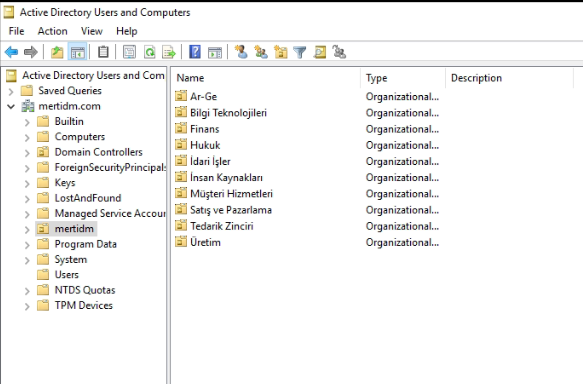
Here’s how our users appear in Active Directory.
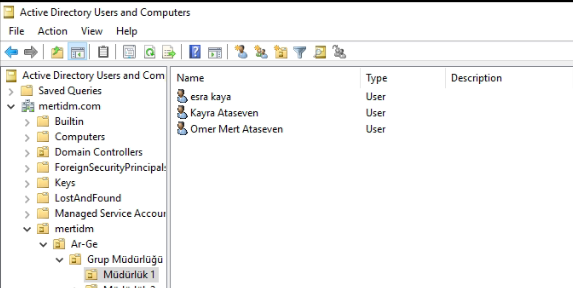
It may be more useful to look at a specific user. For example, the screenshot below is useful for the following user.
- Username (sAMAccountName): TT100
- Login Format: TT100@mertidm.com
Requirements for the Lab Environment
- Active Directory installed on Windows Server
- Node.js installed
Building a Simple Active Directory Authentication App With Node.js
First, I create a folder named authapp on the desktop. I navigate to this directory from the console and install the libraries I need.
npm install express body-parser express-session activedirectory
After that, I create a file named index.js and put my project’s code inside it. You can adjust the username and password under your BaseDN’s Active Directory config to match your own Active Directory environment, as shown in the example.
const express = require('express');
const bodyParser = require('body-parser');
const session = require('express-session');
const ActiveDirectory = require('activedirectory');

// Starting the application
const app = express();
const PORT = 3000;

// Middleware
app.use(bodyParser.urlencoded({ extended: false }));
app.use(session({
  secret: 'your-secret-key',
  resave: false,
  saveUninitialized: true
}));

// Active Directory configuration
const config = {
  url: 'ldap://localhost',  // LDAP server
  baseDN: 'dc=mertidm,dc=com',  // Base DN
  username: 'CN=Administrator,CN=Users,DC=mertidm,DC=com',  // Admin username
  password: 'Mert123!'  // Admin password
};

// Creating the Active Directory client
const ad = new ActiveDirectory(config);

// Login page
app.get('/', (req, res) => {
  if (req.session.user) {
    return res.send(`
      <!DOCTYPE html>
      <html lang="tr">
      <head>
        <meta charset="UTF-8">
        <meta name="viewport" content="width=device-width, initial-scale=1.0">
        <title>Hoşgeldiniz</title>
        <link href="https://cdn.jsdelivr.net/npm/bootstrap@5.1.3/dist/css/bootstrap.min.css" rel="stylesheet">
      </head>
      <body>
        <div class="container text-center mt-5">
          <h1 class="display-4">Hoşgeldiniz, ${req.session.user}!</h1>
          <div class="card mt-4">
            <div class="card-body">
              <h4>Hesabınızla ilgili bazı işlemleri buradan yapabilirsiniz:</h4>
              <div class="list-group mt-3">
                <a href="#" class="list-group-item list-group-item-action">Hesap Ayarları</a>
                <a href="#" class="list-group-item list-group-item-action">Mesajlar</a>
                <a href="#" class="list-group-item list-group-item-action">Bildirimler</a>
              </div>
              <a href="/logout" class="btn btn-danger mt-4">Çıkış Yap</a>
            </div>
          </div>
        </div>
        <script src="https://cdn.jsdelivr.net/npm/bootstrap@5.1.3/dist/js/bootstrap.bundle.min.js"></script>
      </body>
      </html>
    `);
  }

  // Login page
  res.send(`
    <!DOCTYPE html>
    <html lang="tr">
    <head>
      <meta charset="UTF-8">
      <meta name="viewport" content="width=device-width, initial-scale=1.0">
      <title>Giriş Yap</title>
      <link href="https://cdn.jsdelivr.net/npm/bootstrap@5.1.3/dist/css/bootstrap.min.css" rel="stylesheet">
    </head>
    <body>
      <div class="container">
        <div class="row justify-content-center align-items-center min-vh-100">
          <div class="col-12 col-md-6 col-lg-4">
            <div class="card shadow-lg">
              <div class="card-body">
                <h3 class="card-title text-center mb-4">Giriş Yap</h3>
                <form method="POST" action="/login">
                  <div class="mb-3">
                    <label for="username" class="form-label">Kullanıcı Adı</label>
                    <input type="text" id="username" name="username" class="form-control" placeholder="Kullanıcı Adı" required>
                  </div>
                  <div class="mb-3">
                    <label for="password" class="form-label">Şifre</label>
                    <input type="password" id="password" name="password" class="form-control" placeholder="Şifre" required>
                  </div>
                  <button type="submit" class="btn btn-primary w-100">Giriş Yap</button>
                </form>
                <div class="mt-3 text-center">
                  <a href="#" class="text-muted">Şifremi unuttum?</a>
                </div>
              </div>
            </div>
          </div>
        </div>
      </div>

      <script src="https://cdn.jsdelivr.net/npm/bootstrap@5.1.3/dist/js/bootstrap.bundle.min.js"></script>
    </body>
    </html>
  `);
});

// Login handling
app.post('/login', (req, res) => {
  const { username, password } = req.body;

  // Authenticate against Active Directory
  ad.authenticate(username, password, (err, auth) => {
    if (err) {
      console.log('Error:', err);
      return res.send(`
        <div class="container text-center mt-5">
          <h1>Giriş Başarısız. Kullanıcı adı veya şifre yanlış.</h1>
          <a href="/" class="btn btn-primary">Tekrar Dene</a>
        </div>
      `);
    }

    if (auth) {
      req.session.user = username;  // Save the user in the session
      res.redirect('/');
    } else {
      res.send(`
        <div class="container text-center mt-5">
          <h1>Giriş Başarısız. Kullanıcı adı veya şifre yanlış.</h1>
          <a href="/" class="btn btn-primary">Tekrar Dene</a>
        </div>
      `);
    }
  });
});

// Logout handling
app.get('/logout', (req, res) => {
  req.session.destroy();  // Destroy the session
  res.redirect('/');
});

// Start the server
app.listen(PORT, () => {
  console.log(`Server is running on http://localhost:${PORT}`);
});
Let’s test our application by running it from the console.
node index.js
I type this command into the console in the directory where the application lives, to run the app.
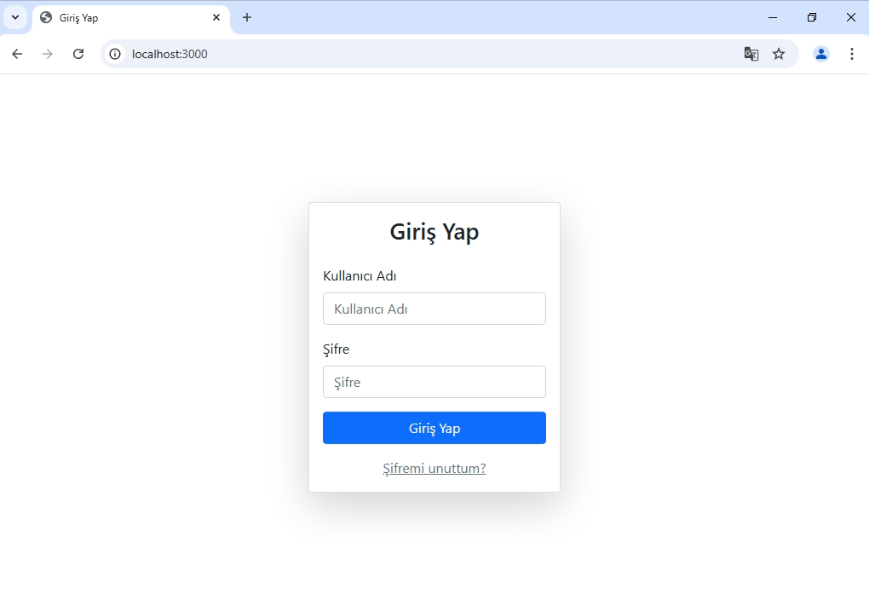
I try logging in with the “TT100@mertidm.com” username and password I mentioned at the beginning of this post.
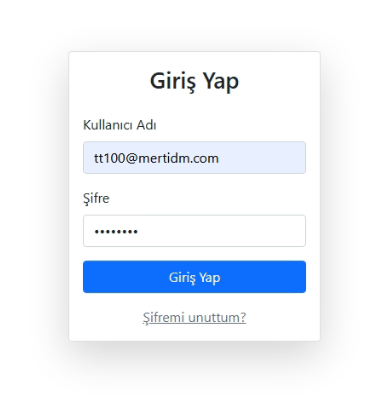
After logging in, the user is taken to a simple welcome screen.
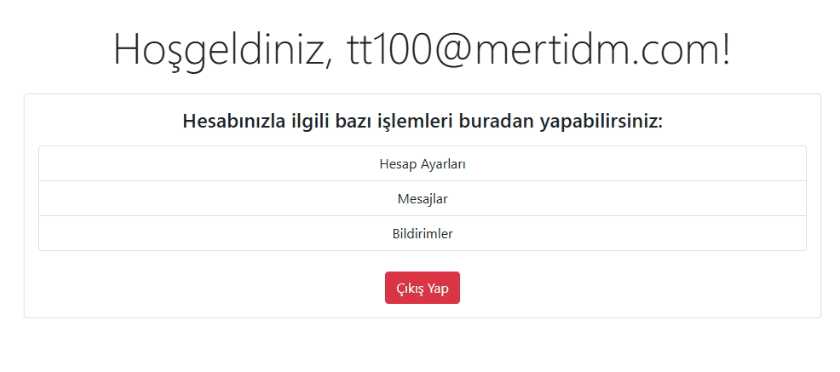
In short, by using the Active Directory LDAP protocol, we authenticated our user credentials against Active Directory and completed the authentication login process. Instead of Node.js, we could also build this same Active Directory authentication flow in other programming languages and integrate it into our applications.
One of the biggest advantages of using this method is that the user can both log in to their computer and sign in to other applications using a single employee ID, i.e. a single username and password.